Five-minute months
Open a CSV or Excel statement from any bank. Smart Import learns your bank's format once, and categories you label are remembered forever — so each month takes less effort than the last.
Expense Tracker: Personal Finance
See where your money really goes — and exactly when it gets you where you want to be.
Unlike every other finance app: no bank login, no subscription, no cloud. Your money data stays on your own computer, where nobody — including us — can see it.
Free forever · No account, no card · Ready in under a minute · ~110 MB · Verify it's genuine
Built by one person, in my spare time.
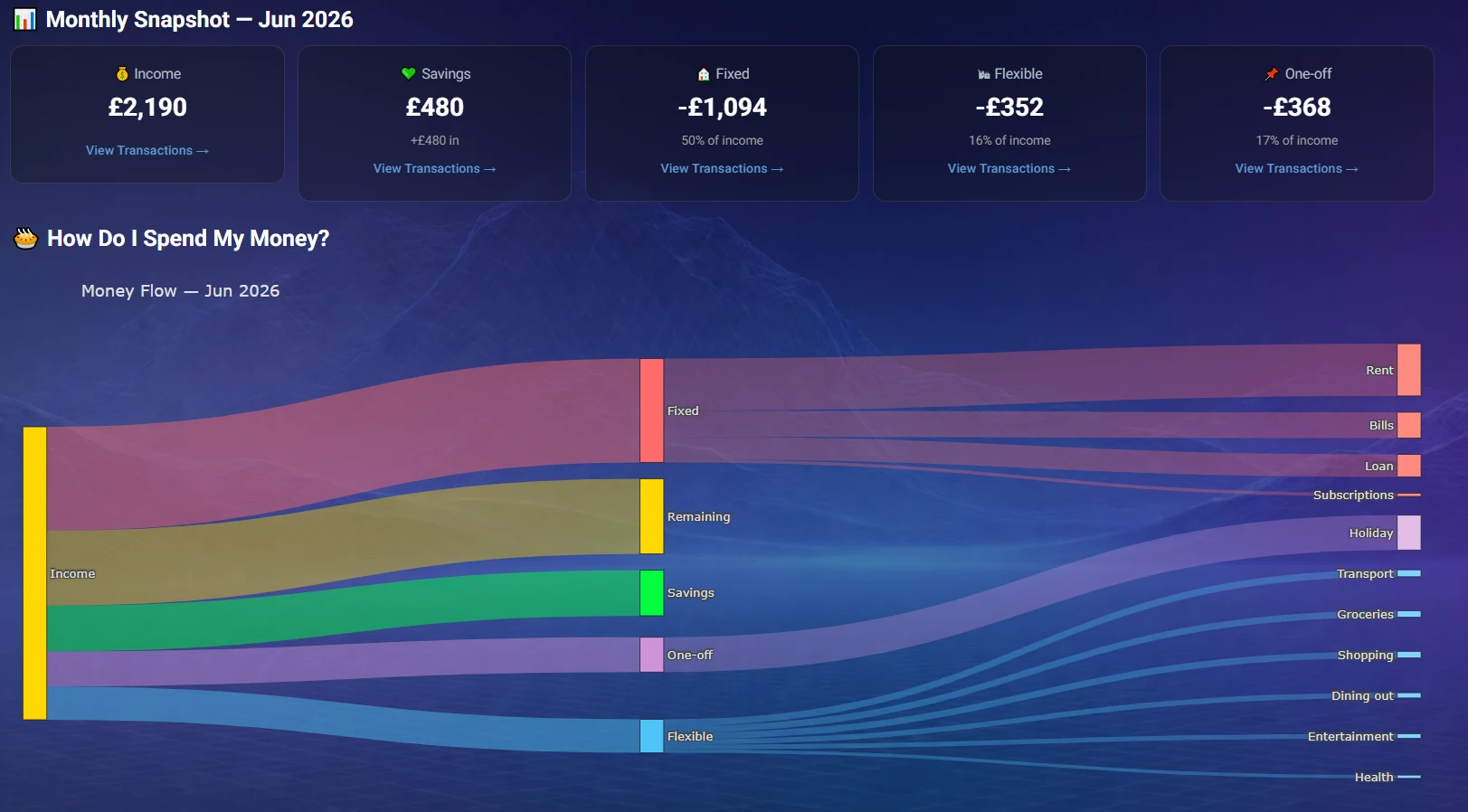
One picture of your whole month — where it came in, where it went. (Sample data.)
Why this one?
Most money apps want your bank login, a monthly fee, and your data on their servers. This one was built the opposite way on purpose.
Not because we're bad with it — because bank statements are a wall of cryptic references nobody reads. And spending you can't see is spending that never changes.
Expense Tracker exists to answer those three questions. Plainly, privately, without judging you.
Drop in your bank transactions and the wall of cryptic references becomes plain English: groceries, bills, treats, subscriptions. Label something once and it's remembered forever — every month takes less effort than the last.
Once you can see your spending, it stops being a mystery you dread and becomes a picture you can change.
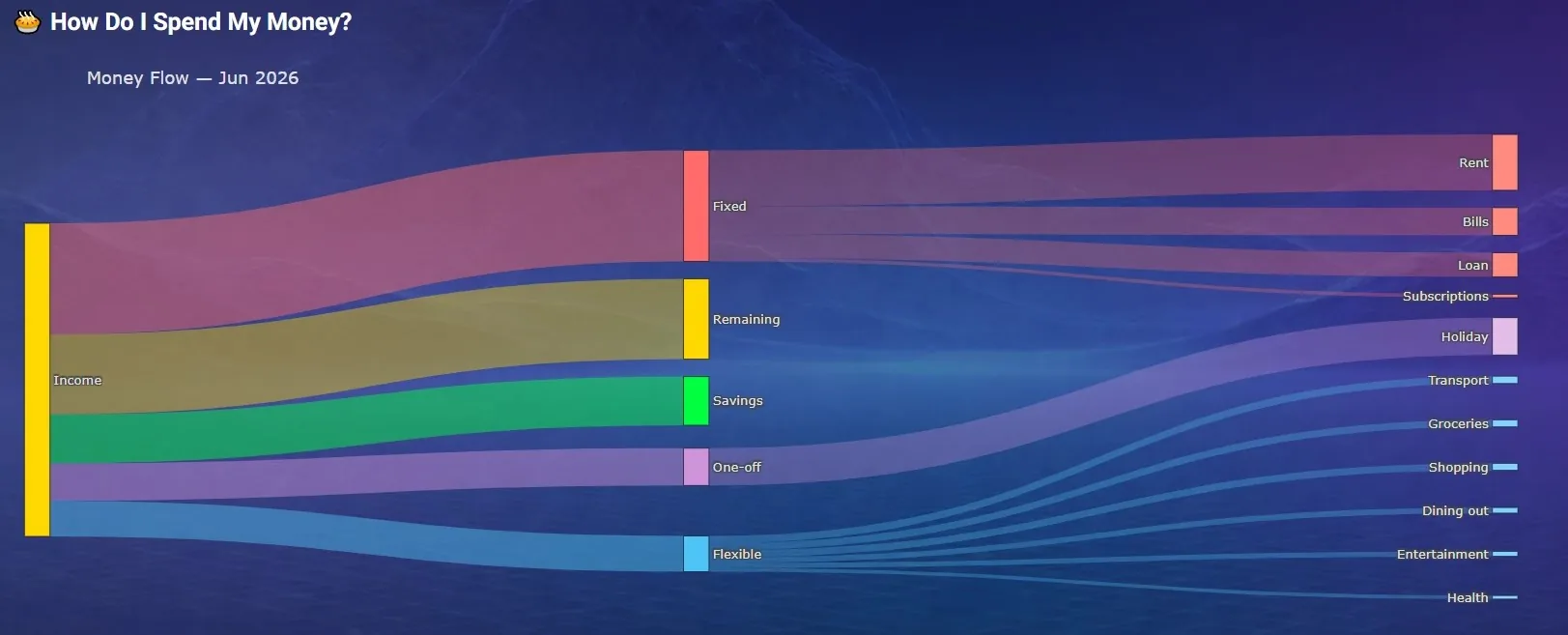
Every pound, traced from payday to where it ended up.
Most of us swing between worry and looking away, because we've never seen our own normal laid out honestly. Expense Tracker compares you only to your own usual — never to some ideal person, never with a wagging finger.
What's going well, what's worth a look, and one next step — phrased like a friend would say it, not an accountant.
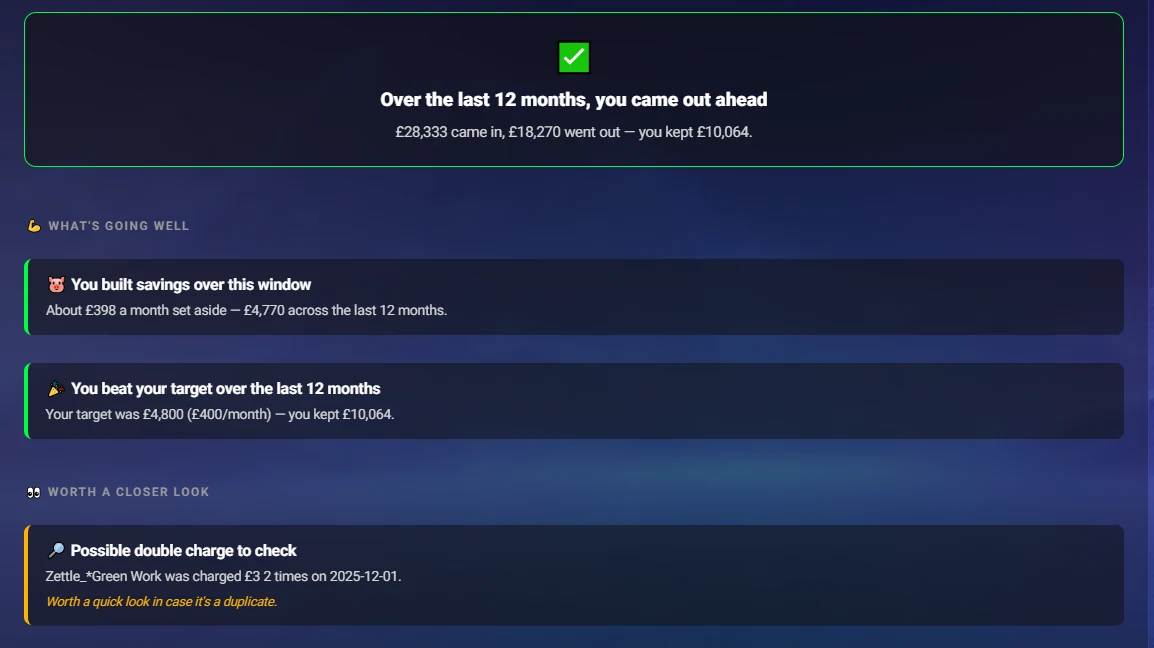
An honest answer, in plain English — and often better news than you feared.
The holiday. The deposit. The just-in-case cushion. Goals stay dreams until there's a line connecting today's habits to a date on the calendar — so Expense Tracker draws that line for you.
It finds the money hiding in forgotten subscriptions and everyday treats, shows what trimming them would actually add up to over a year, and tells you when your goal arrives — and how much sooner it could.
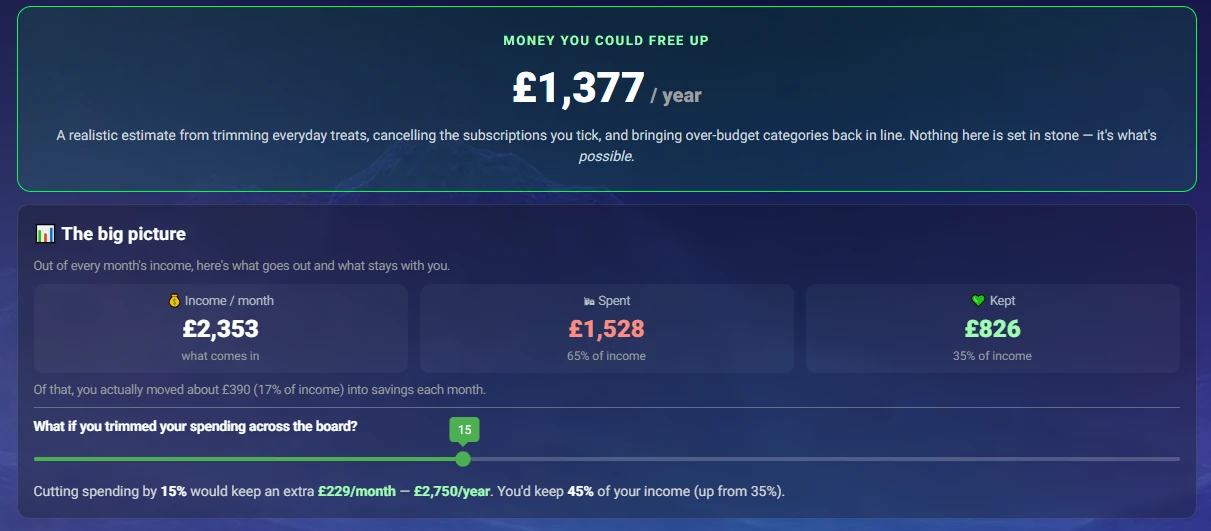
Found money: what small trims are worth over a whole year.
Your savings, month by month, at your current pace — next to a dotted line showing what's possible if you kept everything that's left over. A fuzzy hope becomes a chart you can look at whenever you need a reason to keep going.
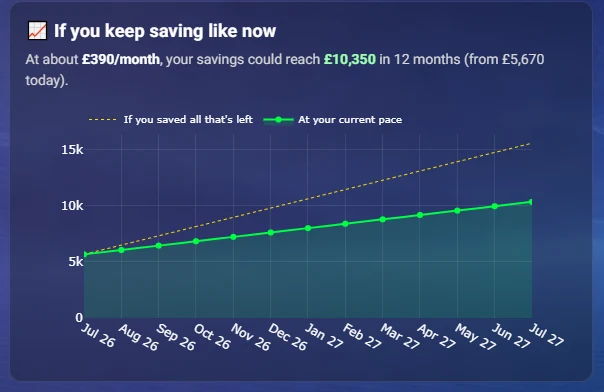
Where you'll be in 12 months — and what's possible.
Grab last month's statement from your online banking, and you'll have your first money picture about five minutes from now. No account, no card, no risk.
Download for Windows — it's freeMost finance tools make you feel worse — red numbers, guilt streaks, comparisons to people who aren't you. This one doesn't. It never judges a category, never scolds, and only ever compares you to your own usual.
The goal isn't a perfect budget. It's the quiet relief of finally knowing — for the cost of five minutes a month.
From real users
Money is stressful enough without wondering who's looking at yours. You never have to trust us with your financial data — the app is built so it can't reach us in the first place. No bank login, no cloud, no account: your statements stay in a folder on your own PC.
Why I built Expense Tracker
I know how easy it is to avoid looking at your finances when everything feels confusing or overwhelming. That's why I built Expense Tracker. My goal was simple: create a free tool that helps you understand your money without making you feel judged. It speaks plainly, respects your privacy, and keeps everything safely on your own computer—because your financial life belongs to you. — Dumi, the one person behind Expense Tracker
Every feature exists to buy you one of four things:
Open a CSV or Excel statement from any bank. Smart Import learns your bank's format once, and categories you label are remembered forever — so each month takes less effort than the last.
A monthly Review dashboard of where money went, plus plain-English Insights that compare you only to your own usual — what's fine, what's worth a look, one next step.
A realistic yearly Forecast of what you could keep, a savings trajectory, budget and subscription checks, and an arrival date for your savings goal — plus how to move it closer.
Runs entirely offline on your Windows PC — multiple banks and currencies, each with its own dashboard. No account, no cloud, and a published checksum for every download.
Yes. No trial period, no locked features, no ads. The app can't sell your data either — it never receives it, so there's simply nothing to monetise.
No — and you can't, on purpose. The app never touches your bank. You download a statement file from your online banking and open it in the app. Your bank login stays between you and your bank.
Completely. Everything is stored in a folder on your own PC and works fully offline. It never reaches us or anyone else — not "we promise we won't look", but "it physically can't reach us".
Any bank that lets you export transactions as CSV or Excel — Smart Import learns your bank's format the first time and remembers it. Multiple banks and currencies are supported, each with its own dashboard.
No. The app was built for people who don't. If you can read a text message, you can use it.
Windows 10 or 11. No powerful PC needed — the download is about 110 MB.
That warning appears for any app from an independent developer who hasn't bought a (expensive) publisher certificate — it doesn't mean the app is unsafe. You can check your download is the genuine one on our verify page, byte for byte.
Five minutes a month. Finally knowing.
Free forever, no account, no card details. And if it's not for you, uninstall — your data was never anywhere else to begin with.
Download for WindowsFree · Windows 10 & 11 · Verify it's genuine